Minute24

SETUP & DEMO

FREE DEMO & SETUP OPTIONS

Video Guided FREE Setup

We designed The Minute24 to be easy to setup, learn and use. Follow our video guided setup for step by step instruction… Start with a preset free demo account, the demo menu and equipment are quickly deleted, customized and added to. You will become an on the fly expert!

Start with a FREE Online Demo

Video instructions scare you a little? No problem… Most users are comfortable enough by the end of this demo, to follow our FREE, Video Guided Setup. Should you decide that you would like us to set up your account, we also offer professional setup services for a fee.

Professional Setup

Program your entire menu and automate cooking times, ensuring consistency and quality for every dish.

Installation in 5 Easy Steps

1

INITIAL LAUNCH

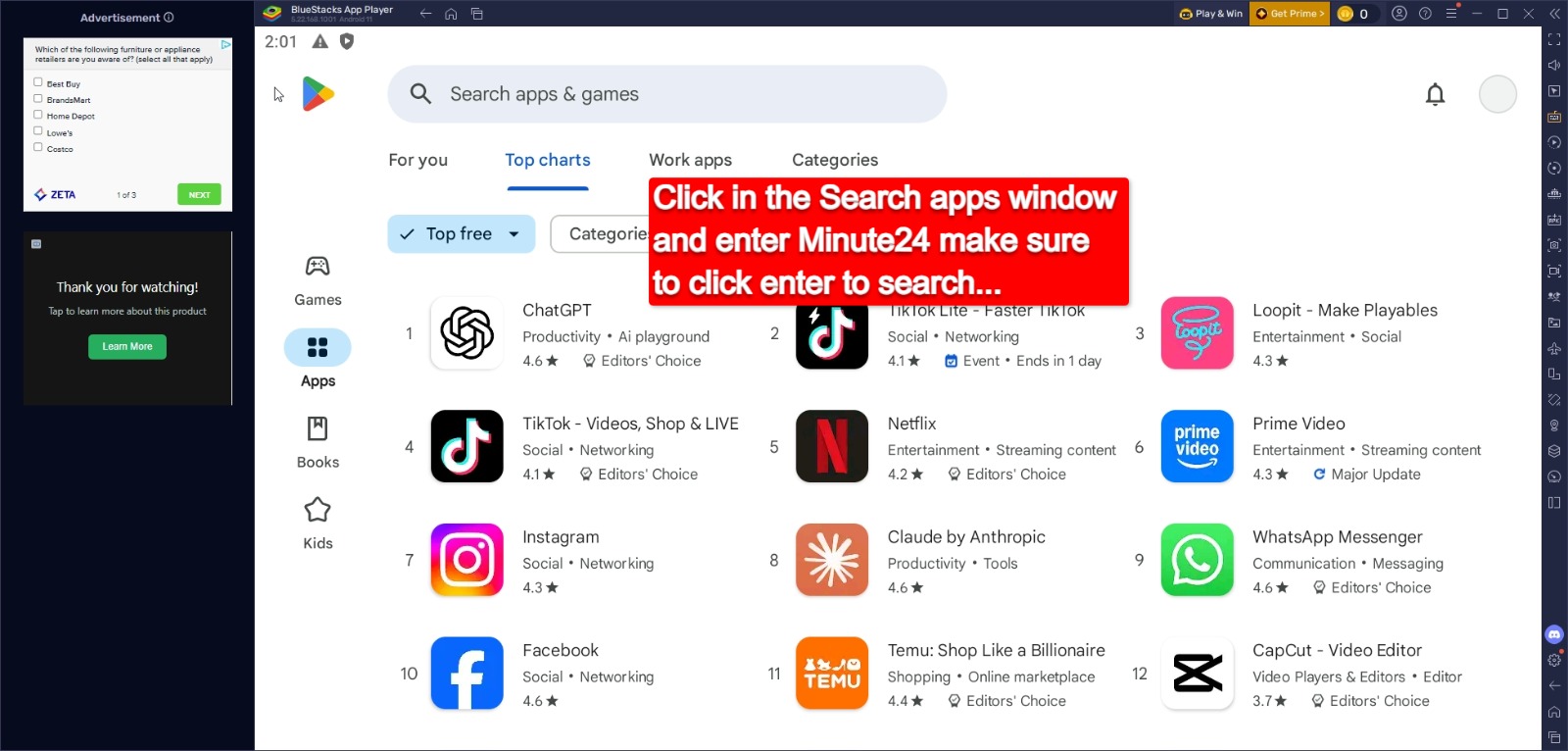
Purchase an *Android Tablet or try us on your computer free with Bluestack.com

2

IDENTITY

Sign in to Play Store

3

LOCATE

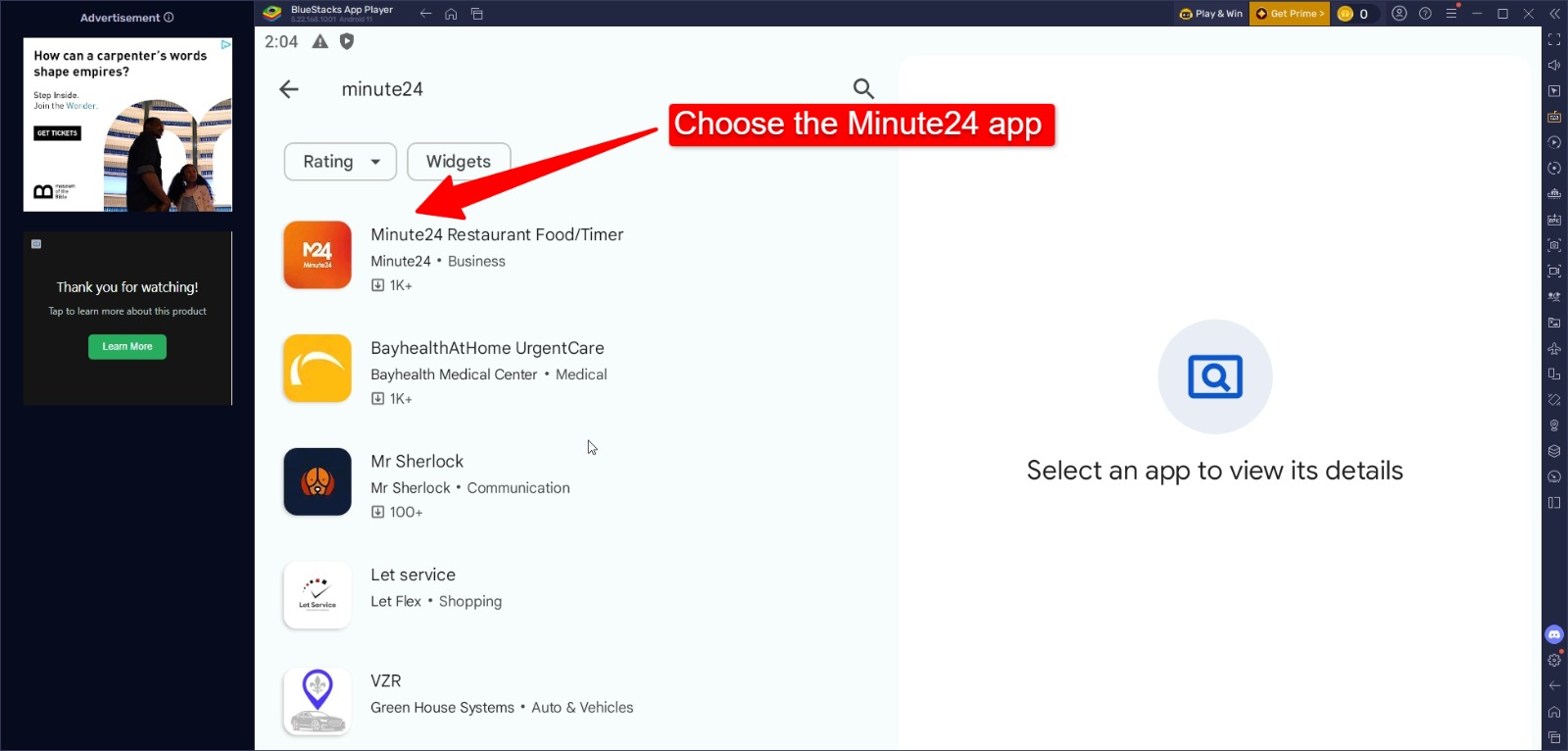
Search “Minute24”

4

ACQUIRE

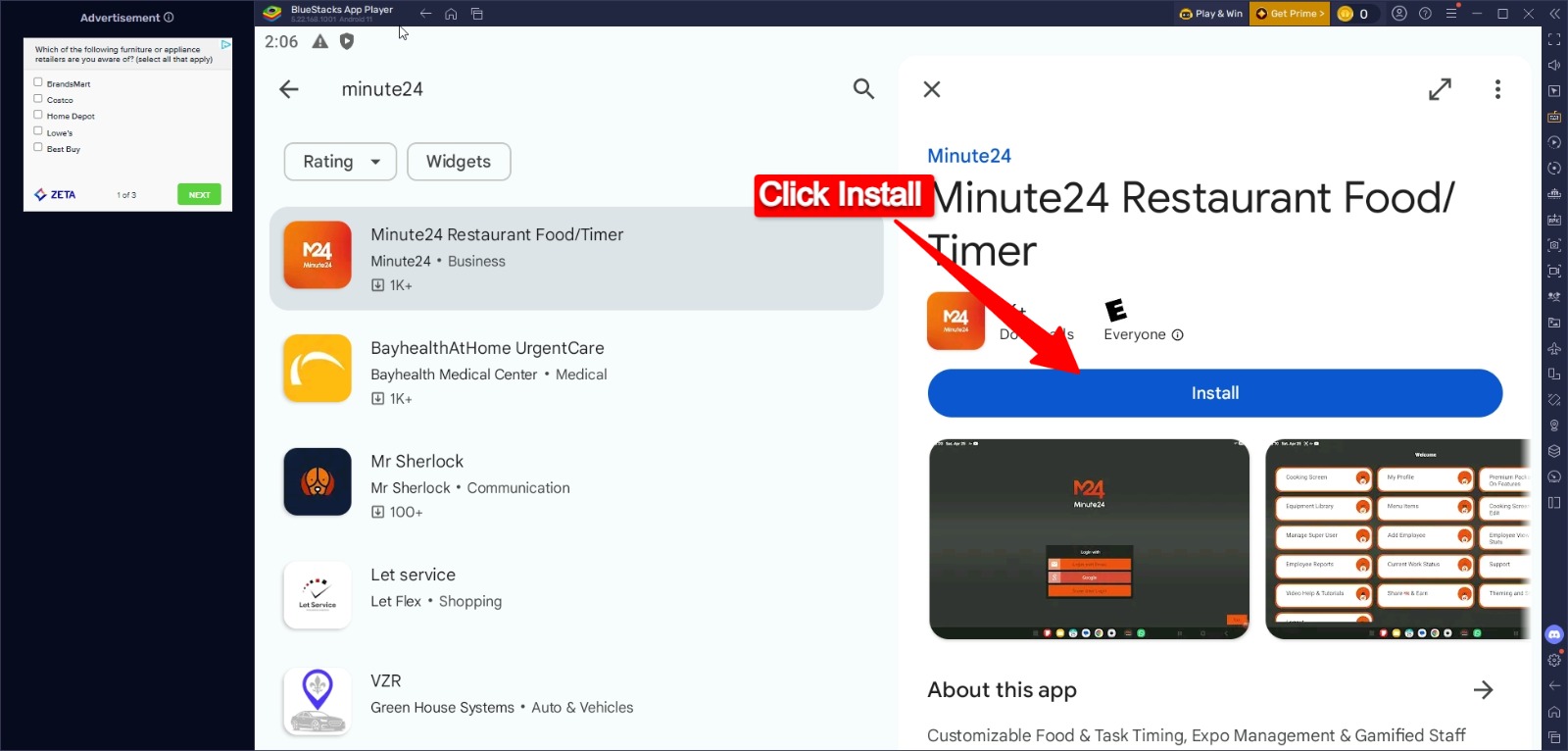
Click Install

5

OPERATION

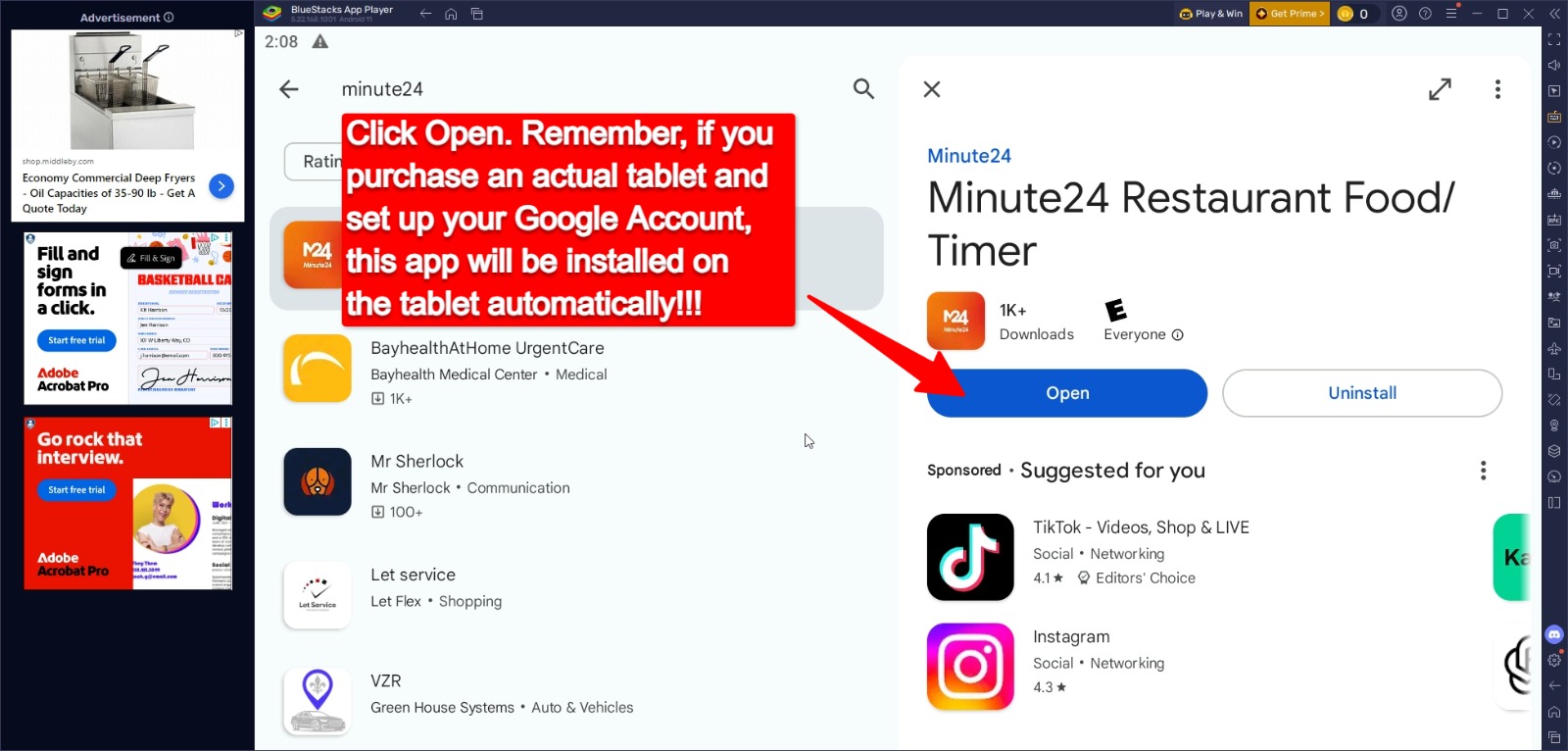
Run Minute24

Minute24 is built and tested on Samsung Android Devices. We recommend a minimum screen size of 10 inches or larger. Minute24 does not work on IPAD or Amazon Fire Tablets.

Demo Minute24 On Your Computer

Steps To Install The Minute24 App

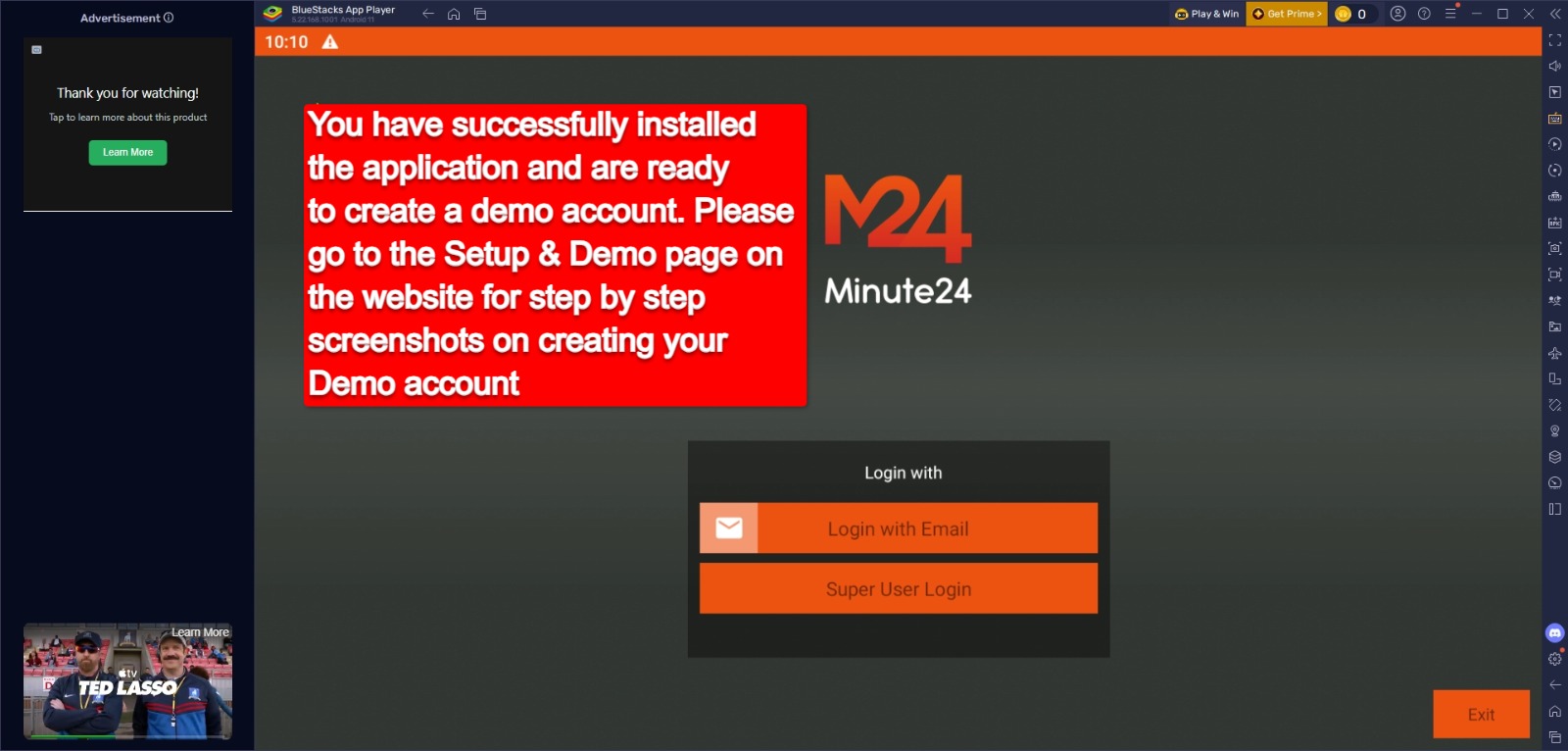
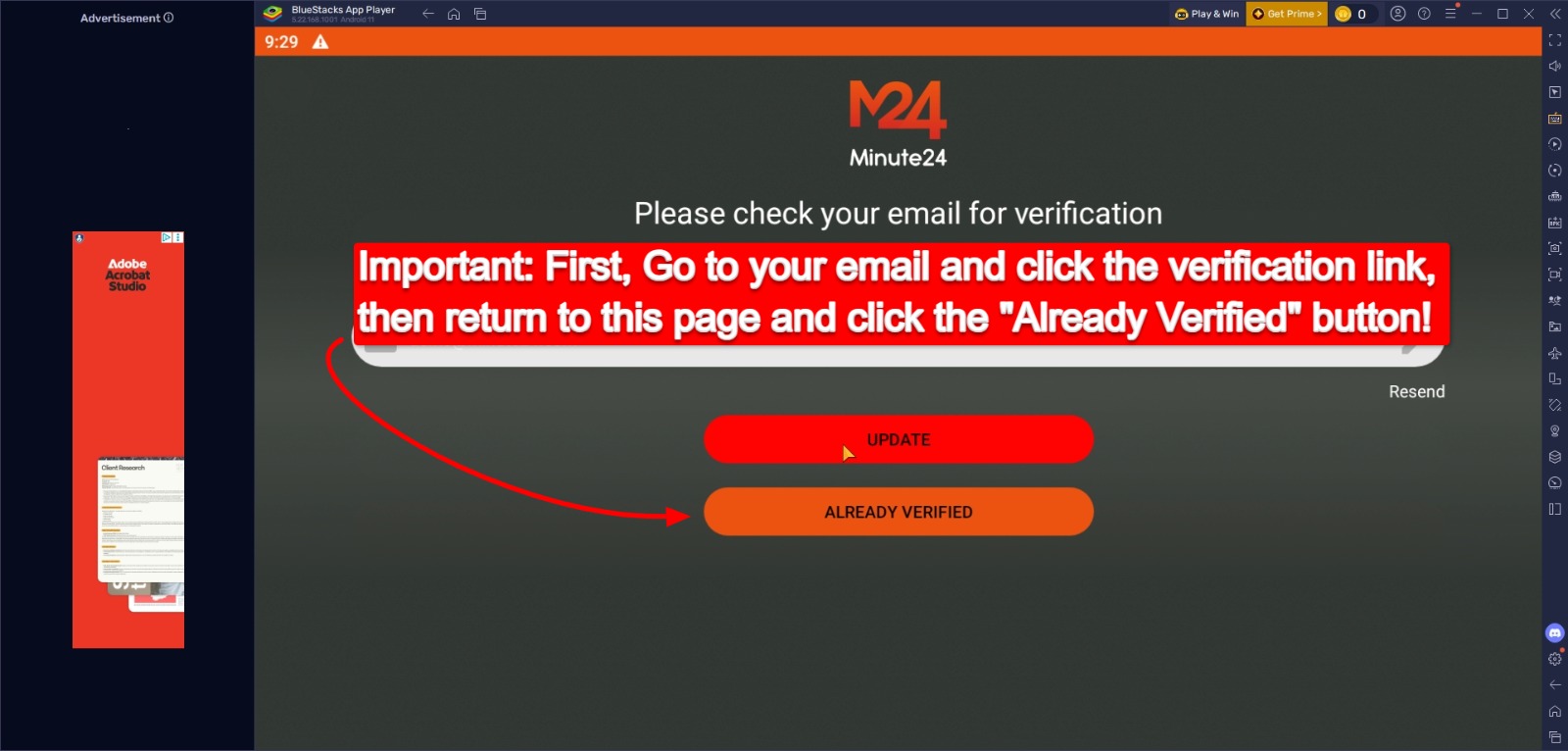
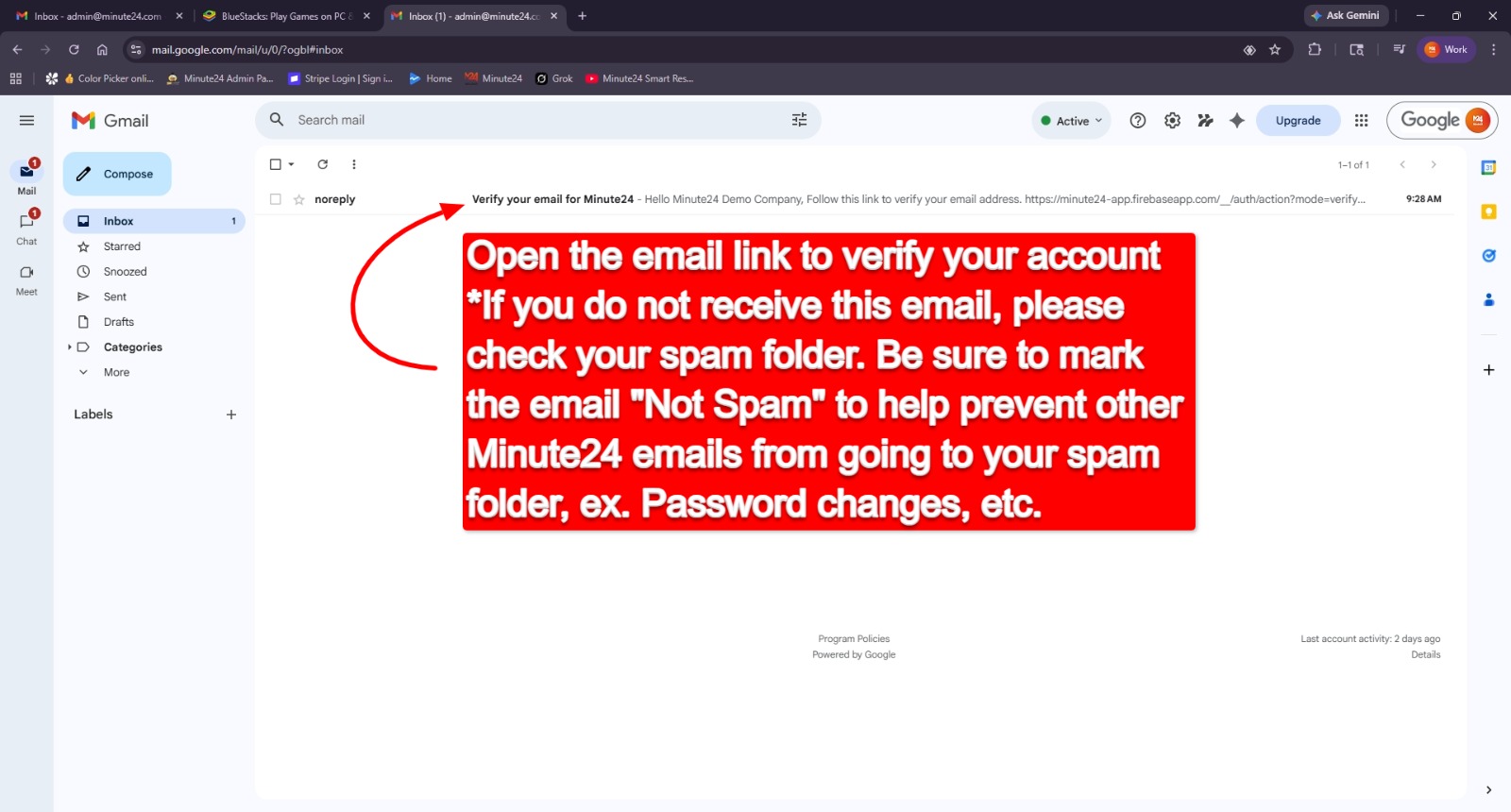
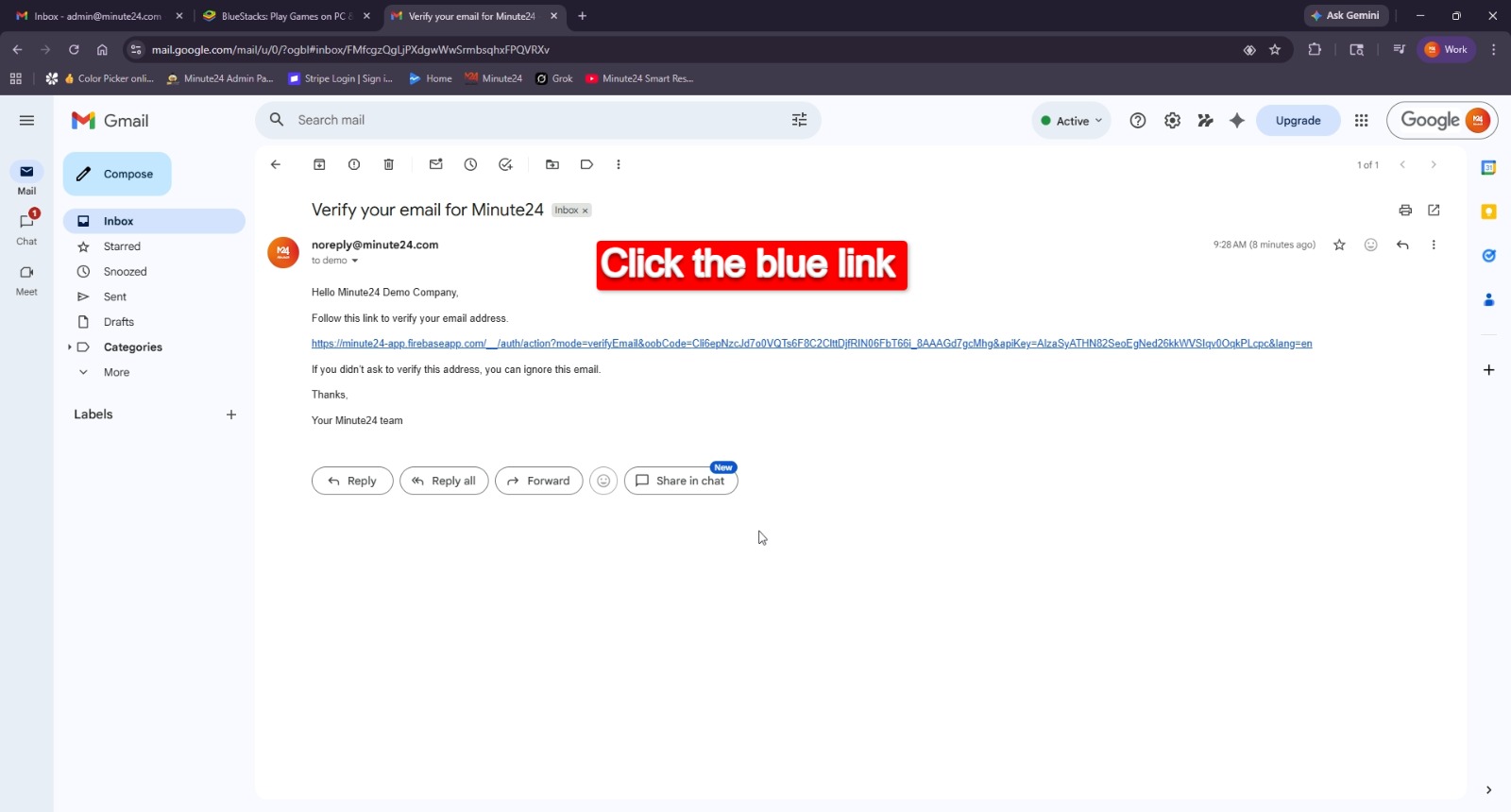
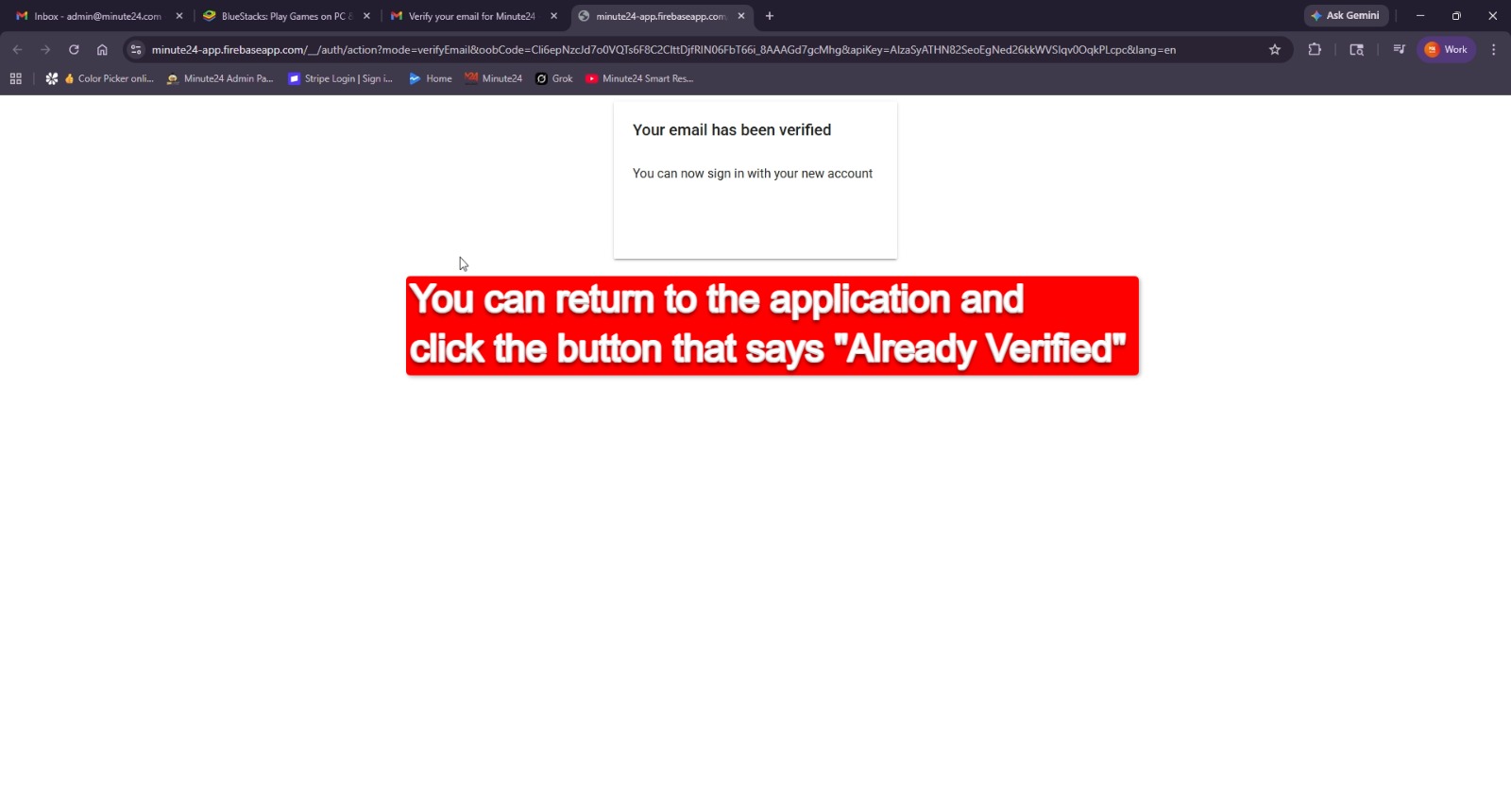
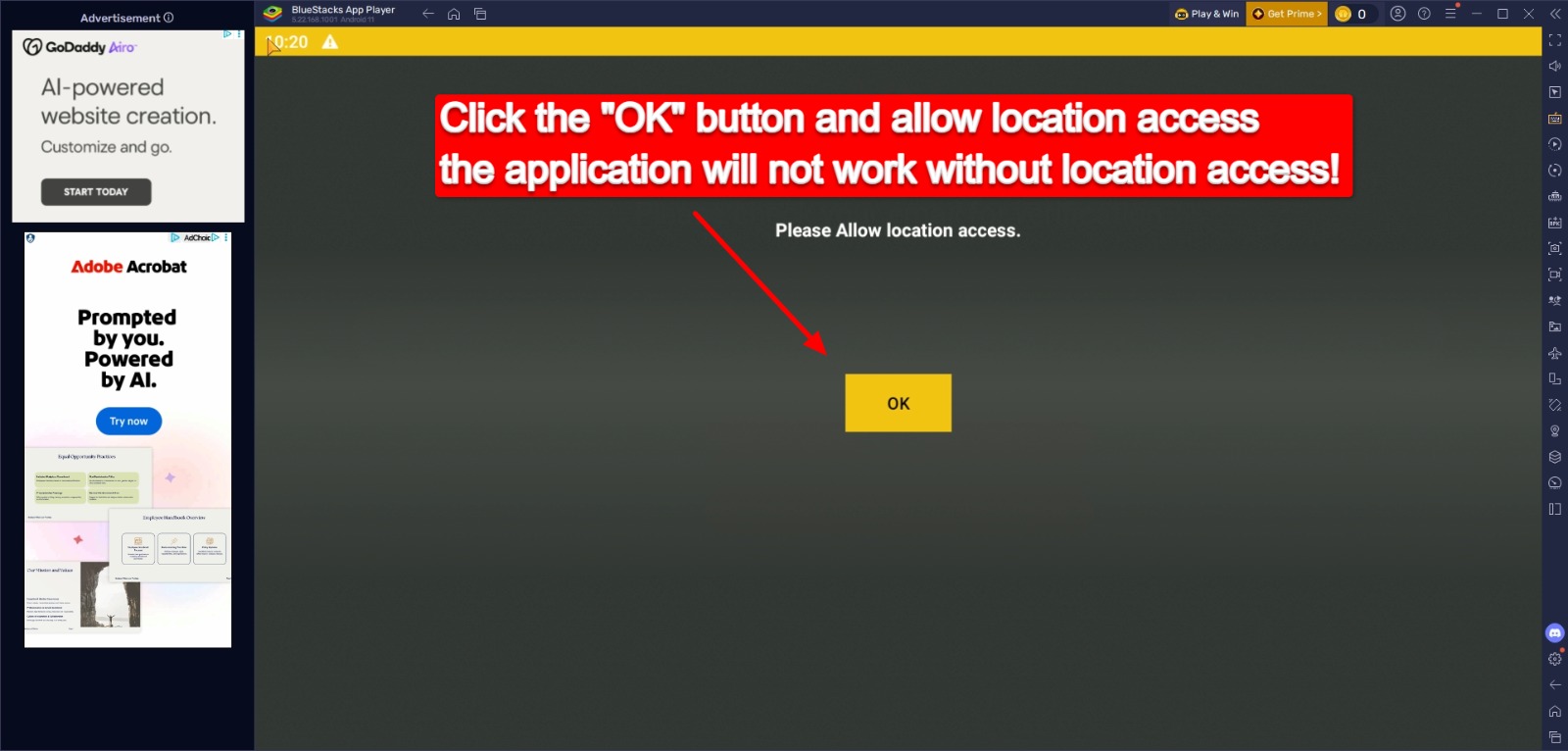
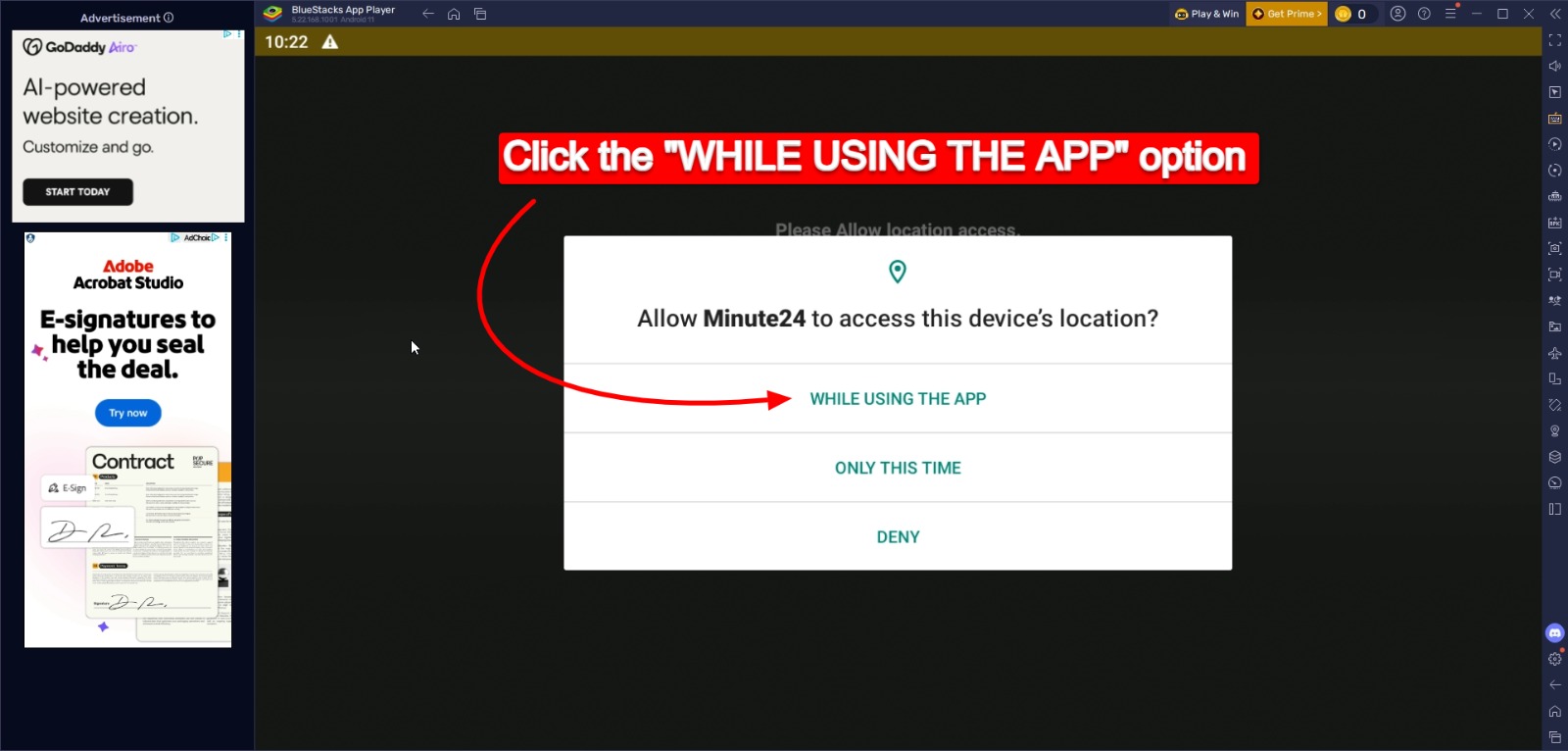
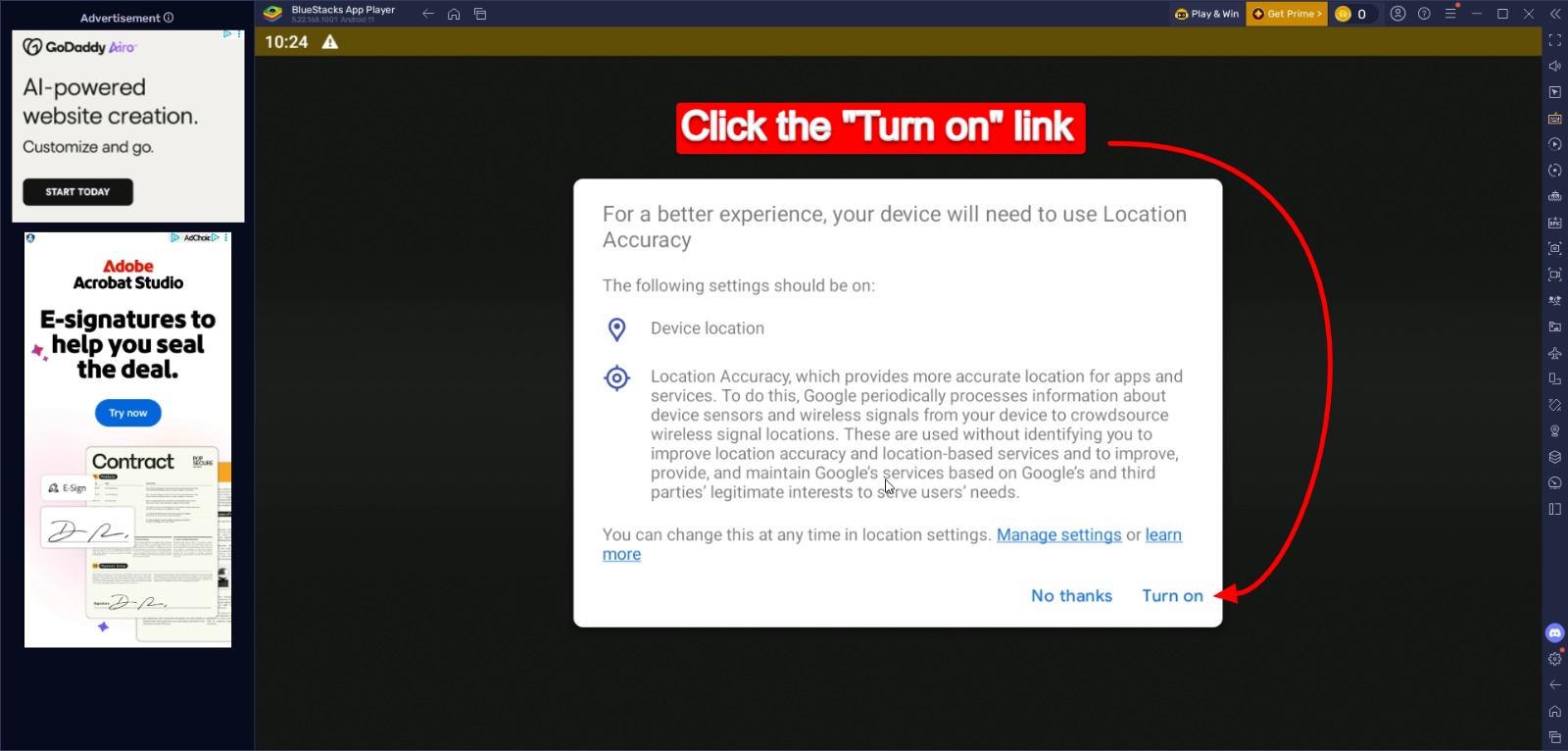
Installation is the same on an Android Tablet or using BlueStacks on your computer. Follow the step by step screenshots to install the app from Google Play.

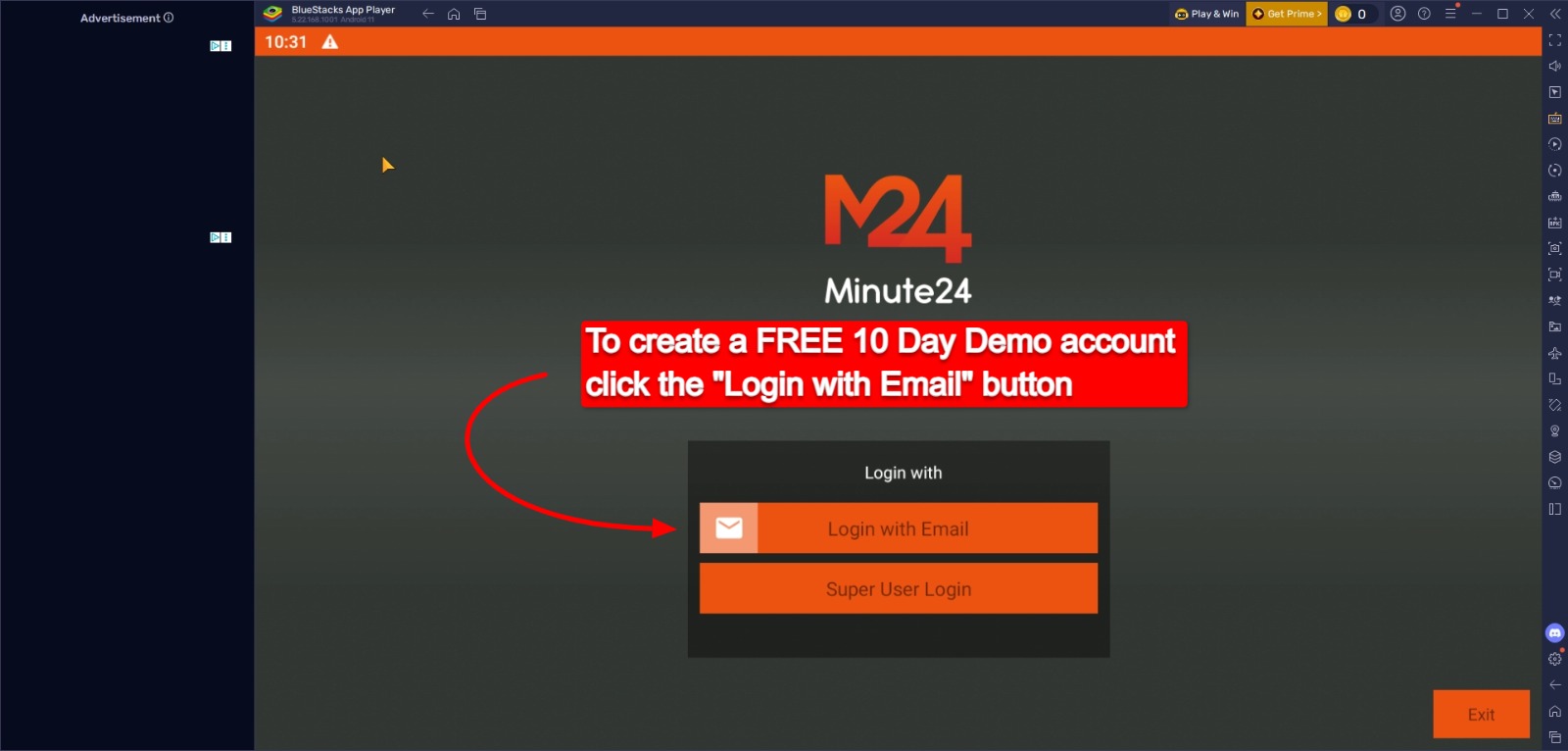
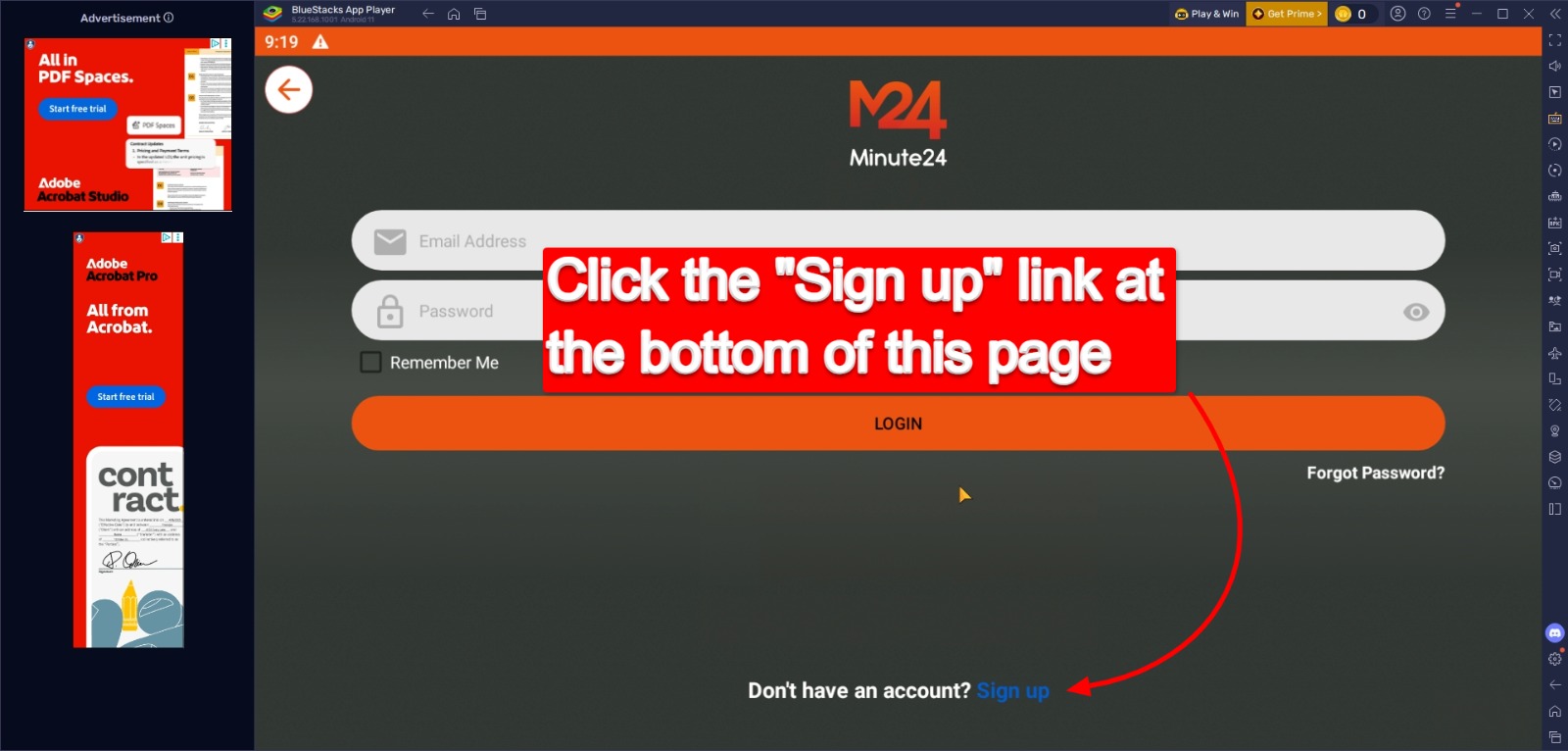
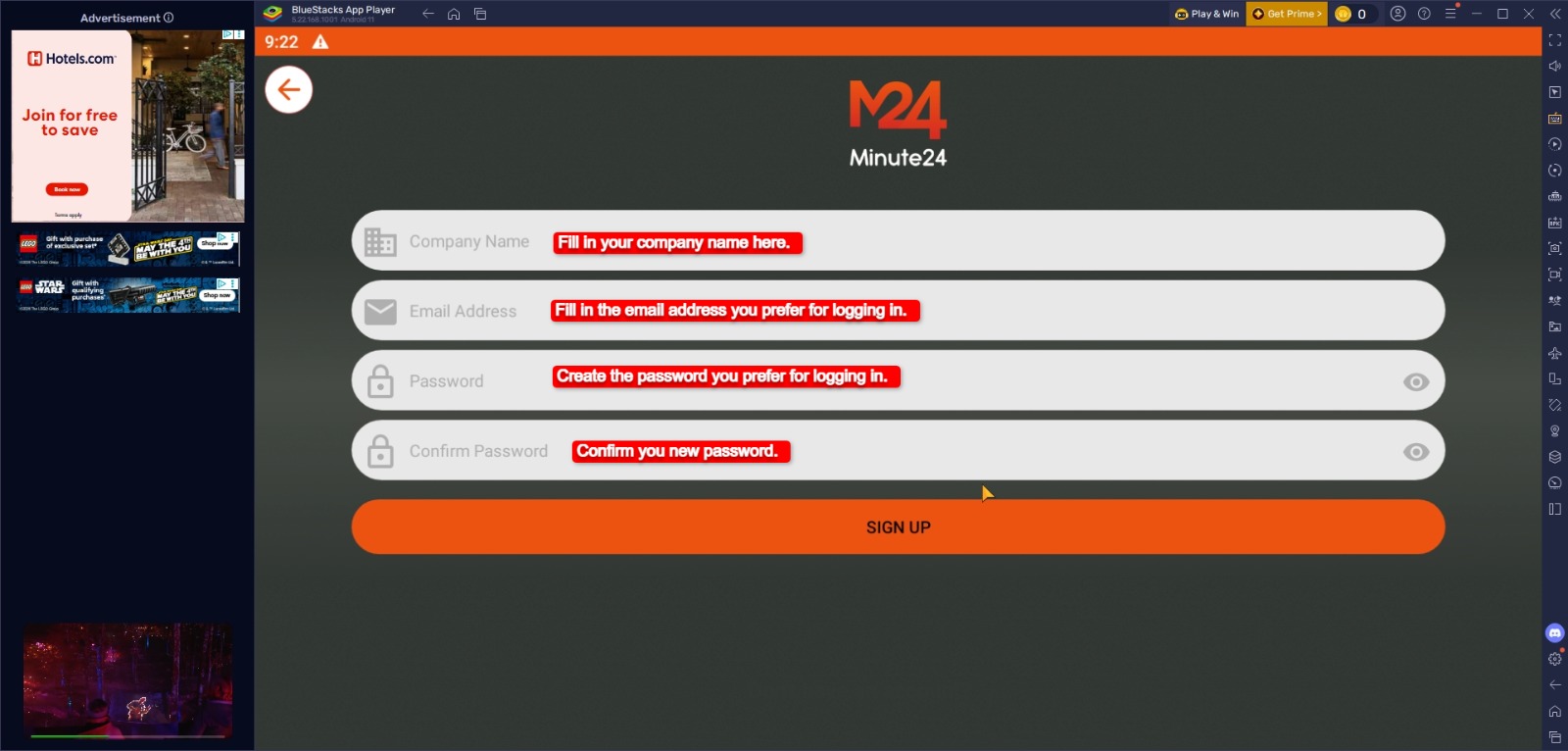
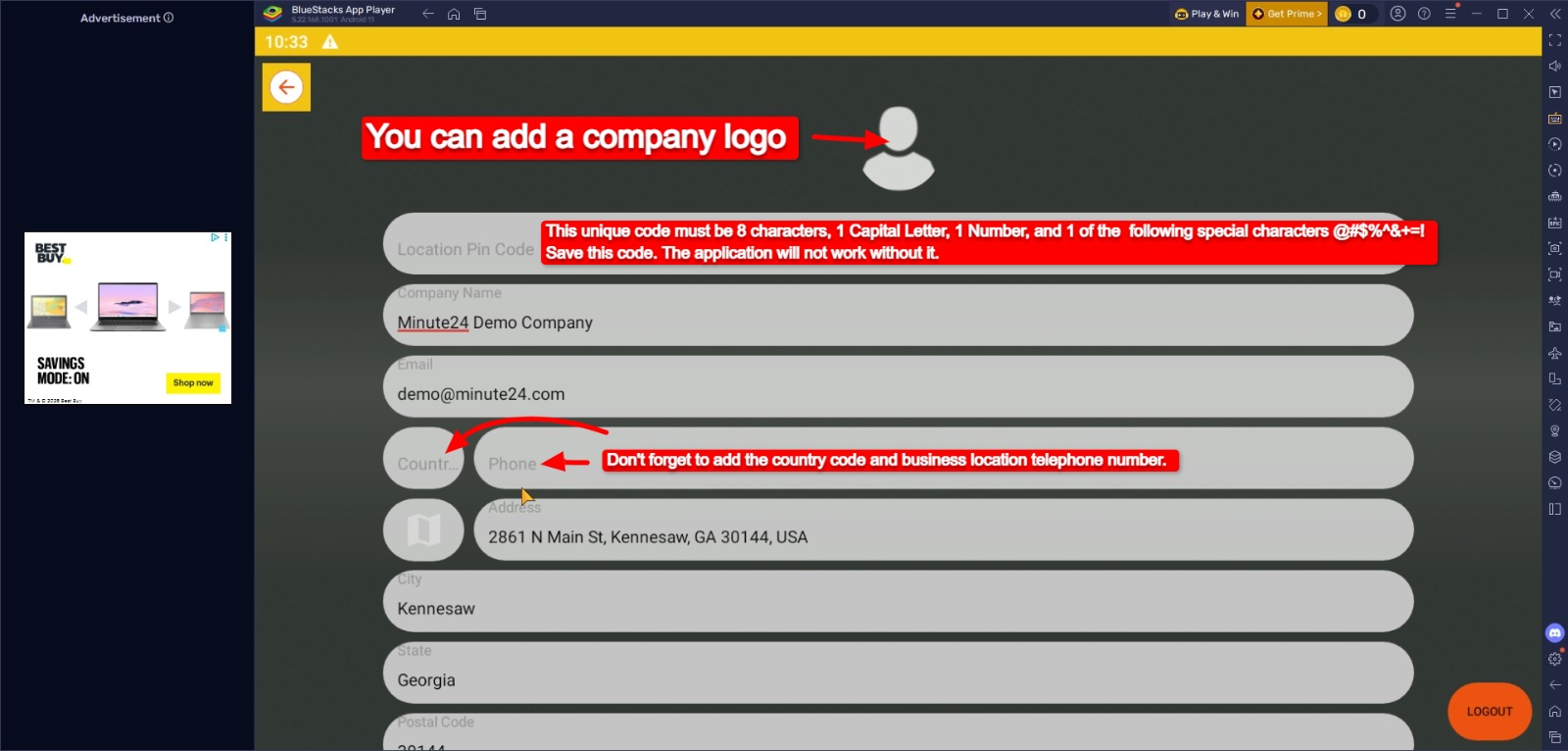
Create a Minute24 10 day Free Demo Account

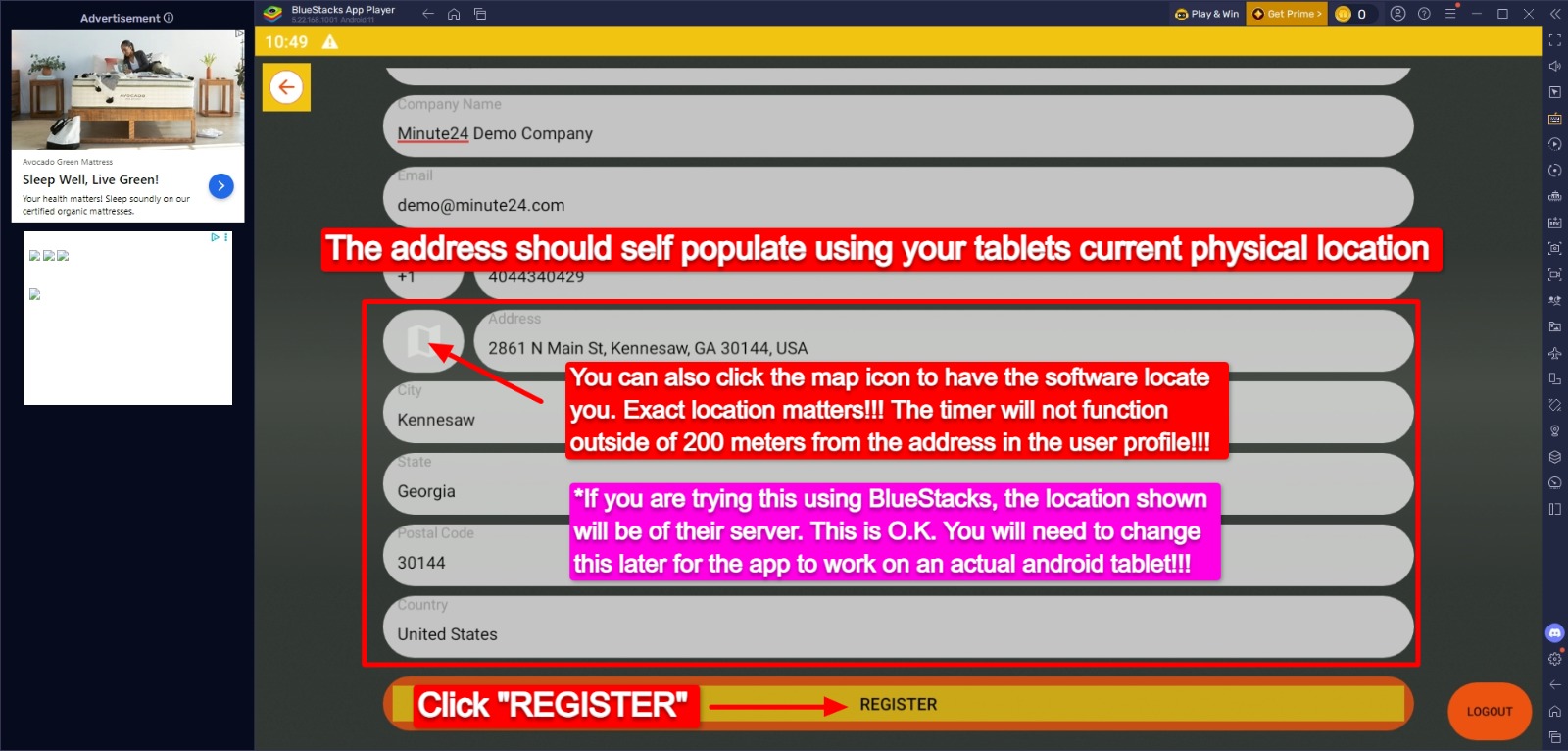
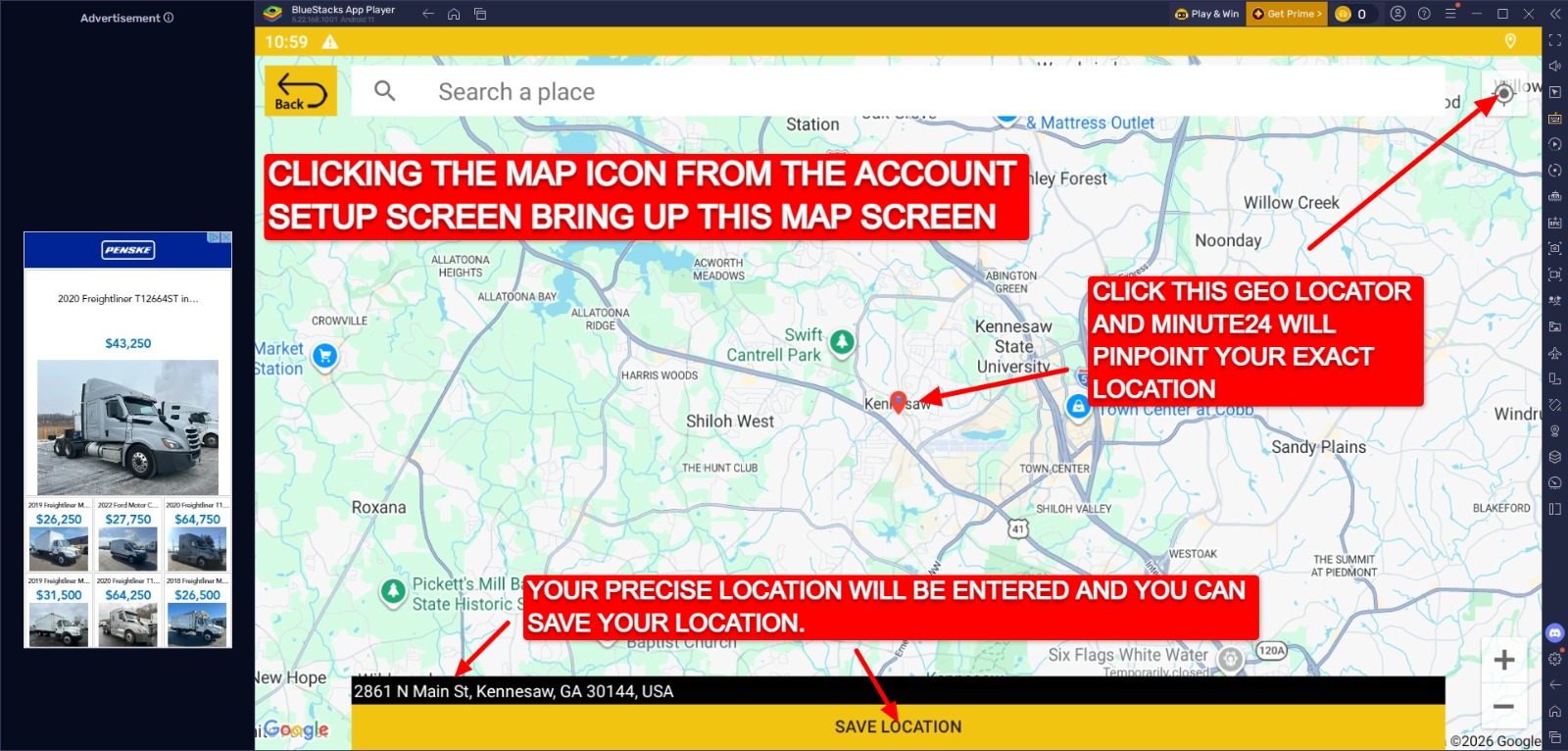
Follow the step by step screenshots to create a minute24 free demo account

Minute24's 3 Steps to Setup

Follow these steps to configure your high-performance kitchen management system.

Get Organized with our Menu Setup PDF

Provide the names of all menu items that you would like included in this set up, the names of the cooking equipment used to cook the items and the overall cooking times for the menu items.
Provide any cooking steps that you would like The Minute24 to provide instruction for throughout the overall time. Please keep the verbiage for instructions short, for example FLIP, SHAKE, ROTATE, CHECK, TEMP… etc. You must also indicate the time in the cooking process that you would like the instruction to trigger, for example, SHAKE FRIES – 2:00 means that you would like the instruction to shake a fryer basket 2 #1 #2 minutes into the overall cooking time. Additional steps are no problem…

The example on the PDF shows a Hamburger with a total cook time of 6 minutes. Staff should flip the burger 3 minutes into the cook time, check to see if the burger needs cheese at 4:45 into the cook time and check the overall doneness 30 seconds early…

Get Organized with our Equipment Setup PDF

The following examples are on the PDF:

Another example for your to consider might be a New York Pizza Oven… One way that we can set up the configuration so that you have multiple timers for each deck of the oven. Maybe you have 3 decks and would like to cook 4 items in each deck? There is not right or wrong way to set up the timers… It is all up to your personal preference… If you get stuck, give us a call and let’s talk about it!

Get Organized with our Facility Setup PDF

GET Minute24 ON GOOGLE PLAY